FraudShield Workflow Updates: Manual Uploads, Faster Integrations, and Fraud Filters
This release wave makes FraudShield easier to evaluate, integrate, and use throughout an existing recruiting workflow.
Manual Resume Uploader
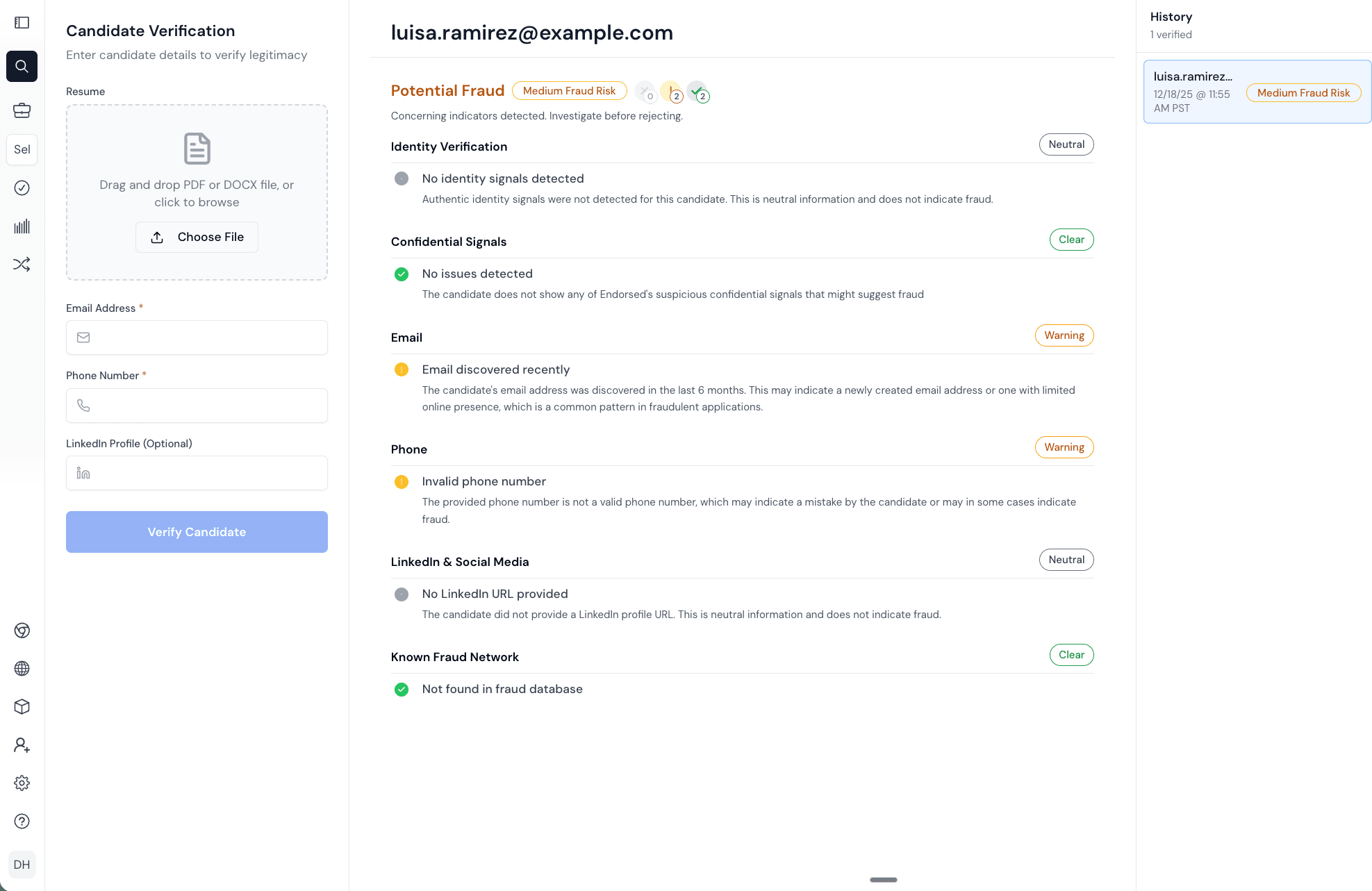
The Candidate Verification page lets a recruiter upload a resume and add the candidate's email, phone number, and optional LinkedIn profile. FraudShield returns a risk level and the evidence behind it without requiring an ATS connection.
Teams can use the uploader for several known examples before deciding how to deploy an always-on integration.
A Lighter-Weight ATS Embed
We introduced an iframe-based integration option for ATS partners. It is designed to bring the FraudShield workflow into an ATS with less custom frontend work than a fully bespoke integration.
Updated Fraud Scoring
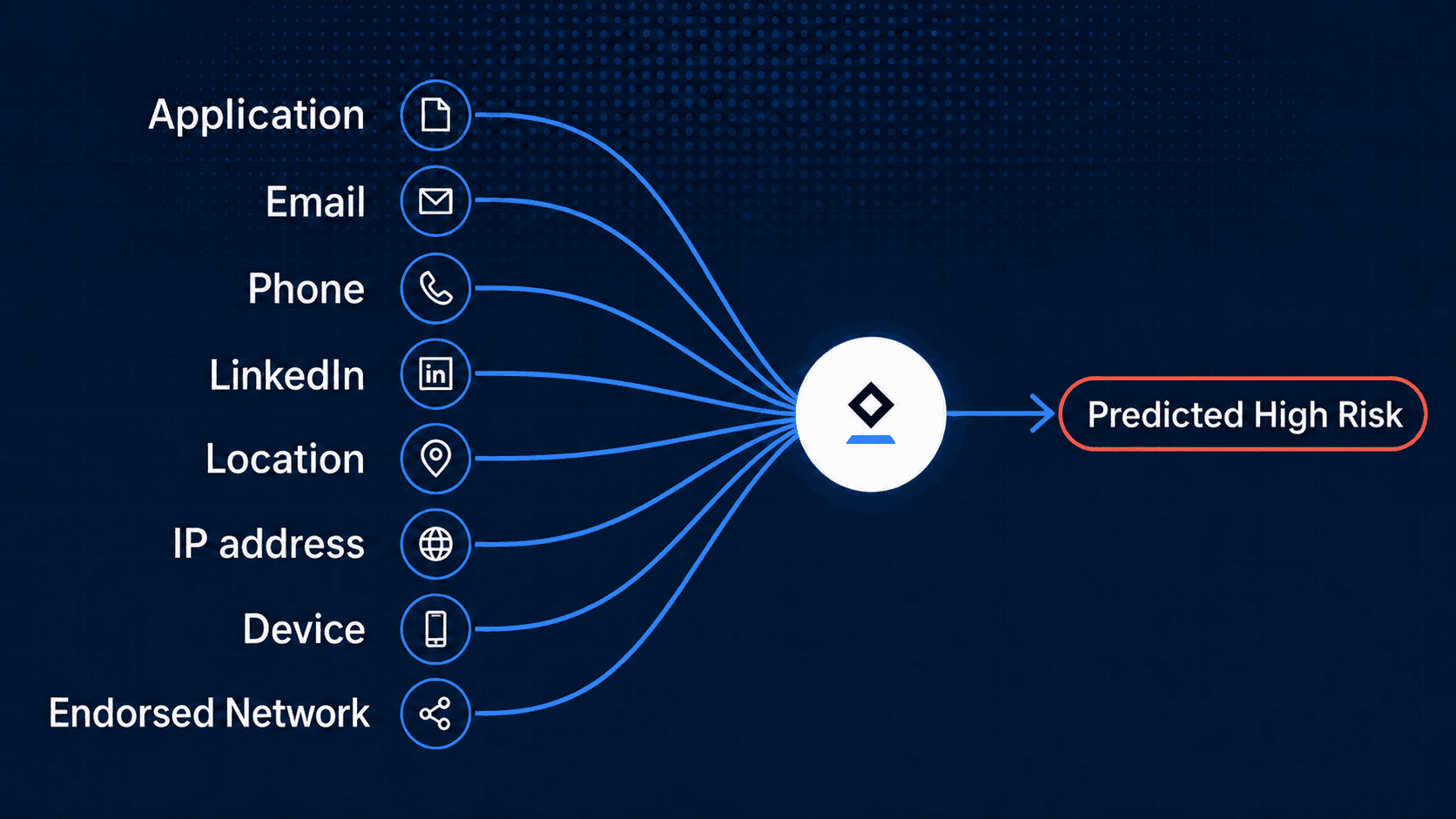
The fifth-generation fraud-scoring release improved how the system combines candidate evidence into the final risk level. The recruiter still sees the result and signal breakdown, while the model handles the expanded evidence set underneath.
More Complete ATS Inputs
Lever syncing now supports custom application questions, giving FraudShield more of the context submitted with an application.
We also added a dedicated LinkedIn URL application field for supported workflows. That URL can be incorporated into fraud detection and used when re-running checks for existing candidates.
Fraud Filter
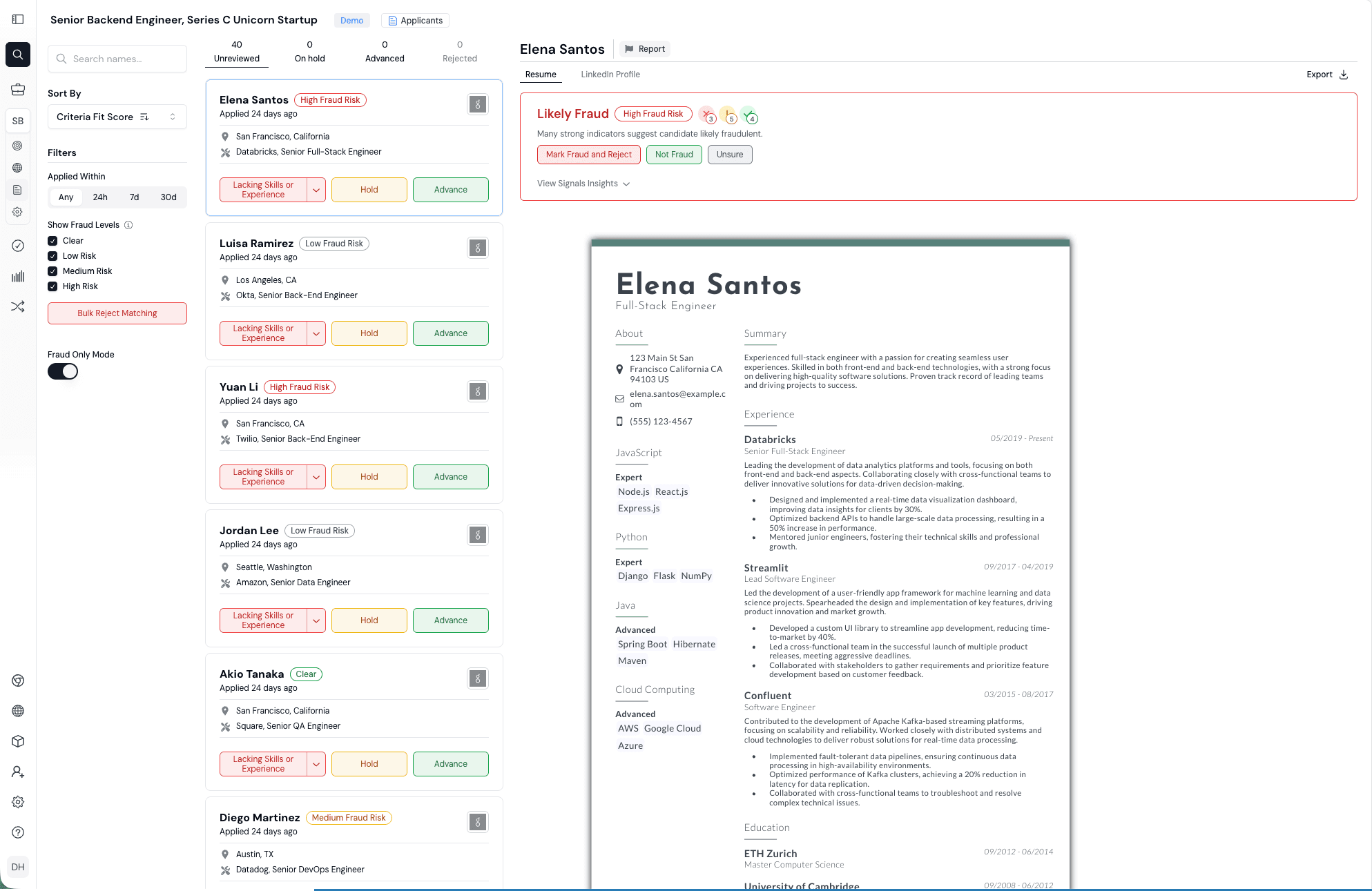
The new Fraud Filter appears in the Endorsed navigation for enabled customer teams. It gives recruiters a focused view of candidates by fraud level, making it easier to investigate or bulk-handle the highest-risk portion of the funnel.
These workflow additions extend FraudShield from an individual check into a repeatable process that can fit a manual test, an ATS-native experience, or the full Endorsed platform.